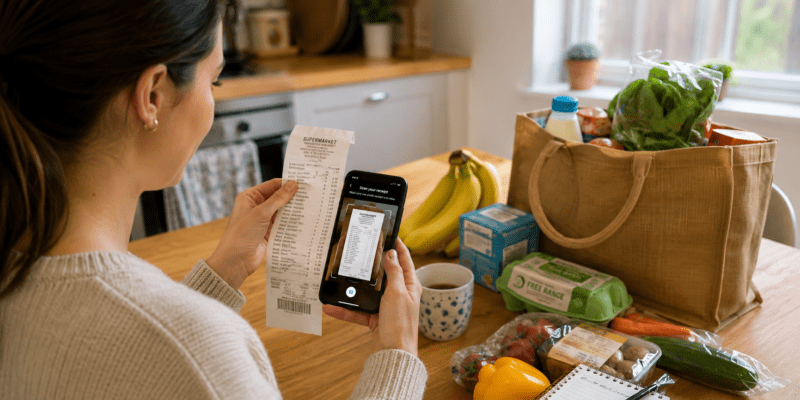
Food shopping is one of those expenses you simply cannot avoid. However, there are plenty of ways to make your money work harder. Receipt scanning apps are one of the easiest because you can earn rewards from shopping you were going to do anyway.
You simply keep your receipt, upload a photo through an app and collect rewards. Depending on the app, these could be points, vouchers, gift cards or cash.
Better still, you don’t need to change supermarkets or fill your trolley with things you don’t need. You can continue shopping as normal and turn those receipts into something useful.
If you already use supermarket loyalty schemes, cashback offers or coupons, receipt rewards can become another layer of savings. The individual amounts may look small, but they can soon add up when you make scanning your receipts part of your normal routine.
What Are Receipt Scanning Apps?
Receipt scanning apps reward you for sharing information about purchases you’ve already made.
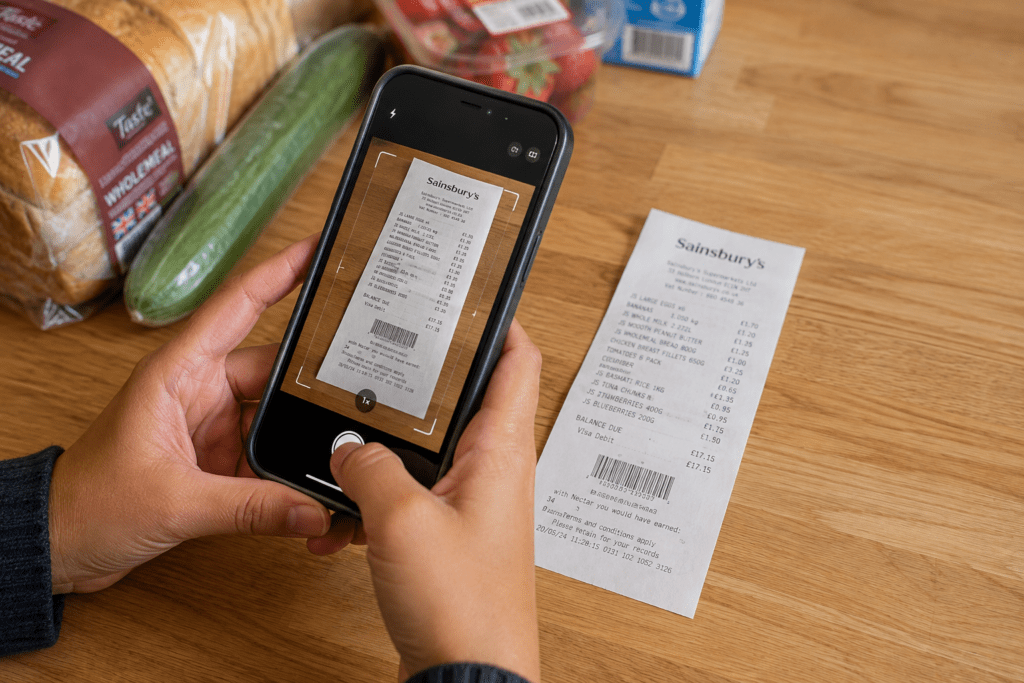
After shopping, you take a clear photo of your receipt and submit it through the app. The app checks the information and, if the receipt meets its requirements, gives you points, credits or another type of reward.
Why would a company pay for your receipts?
Shopping data is valuable. Market research companies want to understand what people buy, where they shop and how purchasing habits change. Your receipts provide useful information about real shopping behaviour.
In return for contributing that information, you receive a small reward.
The important thing to remember is that every app has its own rules. Some accept a wide range of shopping receipts, while others concentrate on particular types of purchases.
Why Bother Scanning Your Receipts?
I love money-saving methods that don’t require you to spend extra money to benefit.
Receipt scanning falls firmly into that category.
You’ve already bought your groceries. You’ve already received the receipt. Therefore, taking another minute to scan it can turn something you would normally throw away into a reward.
The amounts won’t replace your income. However, that’s not really the point.
If you earn a few pounds here, use a loyalty offer there and claim cashback somewhere else, those smaller savings start working together.
That’s when it becomes worthwhile.
Miss Money Saver Tip
“Don’t judge a money-saving method by one receipt. Look at what it could save or earn you over a full year instead.”
Receipt Scanning Apps Worth Knowing About
There are different types of receipt reward apps, so it helps to understand what you’re signing up for.
Here are some options currently available to UK shoppers.
Shoppix
Shoppix is a straightforward receipt rewards app.
You upload eligible shopping receipts and collect tokens. You can also earn additional tokens through short surveys and other activities within the app. Those tokens can then be exchanged for rewards.
This makes Shoppix particularly useful if you shop regularly because you can get into the habit of uploading receipts rather than throwing them away.
You don’t have to change what you buy just to collect the basic receipt rewards. Instead, you’re earning something back from purchases you’ve already made.
SnapMyEats
SnapMyEats focuses specifically on food and drink purchases.
That makes it particularly relevant to your food budget.
You can submit eligible receipts from food and drink purchases, including supermarkets, restaurants, takeaways, snacks and coffee. Receipts need to meet the app’s requirements and be submitted within its stated timeframe.
At the time of writing, SnapMyEats offers reward credit for submitting qualifying receipts during its monthly collection period. Always check the app for the current earning and redemption rules before relying on a particular amount.
Miss Money Saver Tip
“Don’t leave a pile of receipts until the end of the month. Scan them regularly so you don’t miss an app’s submission deadline.”
Google Opinion Rewards
Google Opinion Rewards works a little differently because receipt tasks aren’t necessarily available to every user.
Eligible users may receive receipt-related tasks through the app following shopping trips. Therefore, I wouldn’t rely on it as your main receipt reward app.
However, if receipt tasks appear in your account, they can provide another opportunity to earn something from shopping you’ve already done.

How to Get Started With Receipt Scanning Apps
Getting started doesn’t need to be complicated.
First, choose one or two apps that suit the type of shopping you already do. There’s no point downloading several apps and then forgetting to use all of them.
Next, check what each app accepts. Look at the receipt requirements, submission deadline and minimum amount needed before you can redeem your rewards.
Then start keeping your receipts.
When you get home from shopping, scan them before putting your groceries away or choose another regular time that works for you.
The aim is to turn scanning into a habit.
Once you’ve done it a few times, it takes very little thought.
How to Take a Receipt Photo That Gets Accepted
A rejected receipt earns you nothing, so take a few extra seconds to make sure the photograph is clear.
Lay the receipt flat and make sure you have good lighting. Avoid shadows across the paper and check that the important information is readable before submitting it.
Depending on the app, this may include:
- Retailer name
- Purchase date
- Items purchased
- Individual prices
- Total amount
Long supermarket receipts can be awkward. Follow the individual app’s instructions rather than trying to squeeze a very long receipt into an unreadable photograph.
Most importantly, don’t wait until the receipt is crumpled, faded or buried at the bottom of your handbag.
Miss Money Saver Tip
“Scan your receipts as soon as possible after shopping. It reduces the chance of losing them and means you won’t accidentally miss an app’s submission deadline.”
Can You Scan the Same Receipt on More Than One App?
This is where receipt scanning can become much more interesting.
If the individual apps’ terms allow it, the same shopping trip may qualify for more than one type of reward.
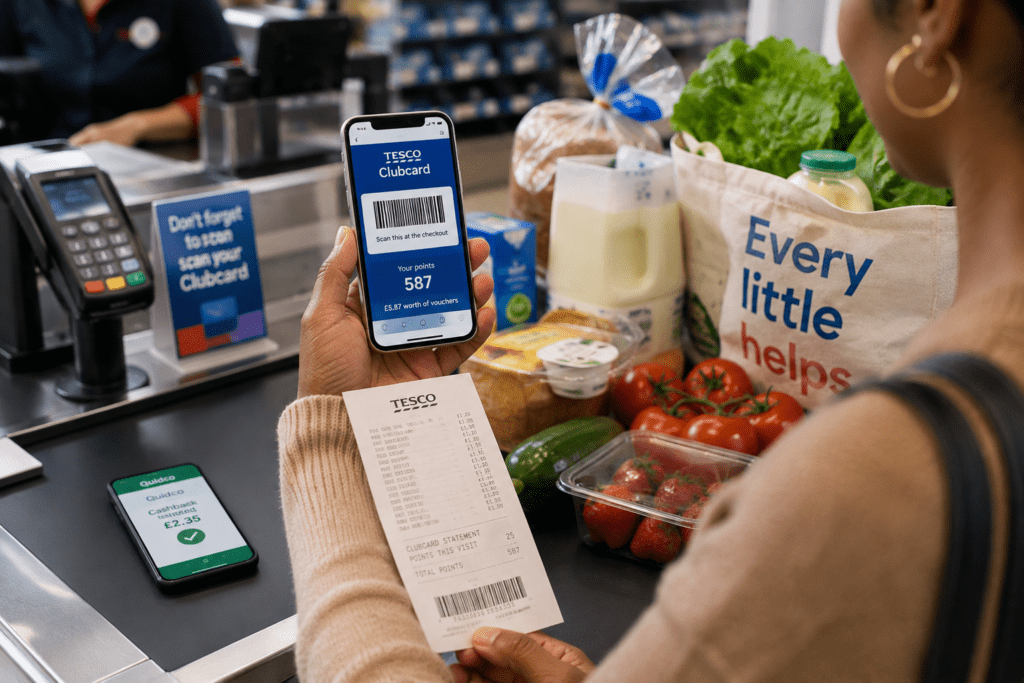
For example, your supermarket shop could potentially involve:
- Using your supermarket loyalty card.
- Taking advantage of loyalty prices or personalised offers.
- Using eligible coupons or vouchers.
- Paying with a card that offers cashback, where applicable.
- Claiming any eligible product cashback.
- Uploading the receipt to eligible receipt reward apps.
You’re not necessarily choosing between these methods. Instead, you may be able to stack your savings.
That means one supermarket shop could contribute towards several different rewards.
If you’re already using supermarket loyalty schemes, have a look at my Ultimate Guide to Using Supermarket Loyalty Apps. It shows you how to get more value from the loyalty apps you’re probably already carrying around on your phone.
Don't Buy Something Just for the Reward
This is one of my biggest rules with cashback and rewards.
A £1 reward isn’t a saving if you spend £4 on something you didn’t need to get it.
Receipt scanning apps work best when they reward your normal spending.
The same applies to special cashback offers. Always look at the final cost and ask yourself whether you would have bought the product without the offer.
If the answer is no, think twice.
On the other hand, if an offer applies to something already on your shopping list, that’s when it can be a genuine money saver.

Make Receipt Scanning Part of Your Shopping Routine
The biggest problem with receipt apps isn’t usually how they work.
It’s remembering to use them.
So create a simple routine.
Keep your receipt somewhere safe when you leave the shop rather than stuffing it into a random pocket. Then scan it when you get home.
Alternatively, choose one regular evening each week to deal with your receipts. Just remember that some apps have short submission windows, so don’t leave them too long.
You could also create a folder on your phone for digital receipts or receipt photographs that you haven’t dealt with yet.
Once you’ve submitted everything, delete or move the images so you know they’re finished.
Miss Money Saver Tip
“Attach receipt scanning to something you already do after shopping. Unpack the bags, put the kettle on, scan the receipt. A simple routine makes it much easier to remember.”
Keep an Eye on Your Reward Balances
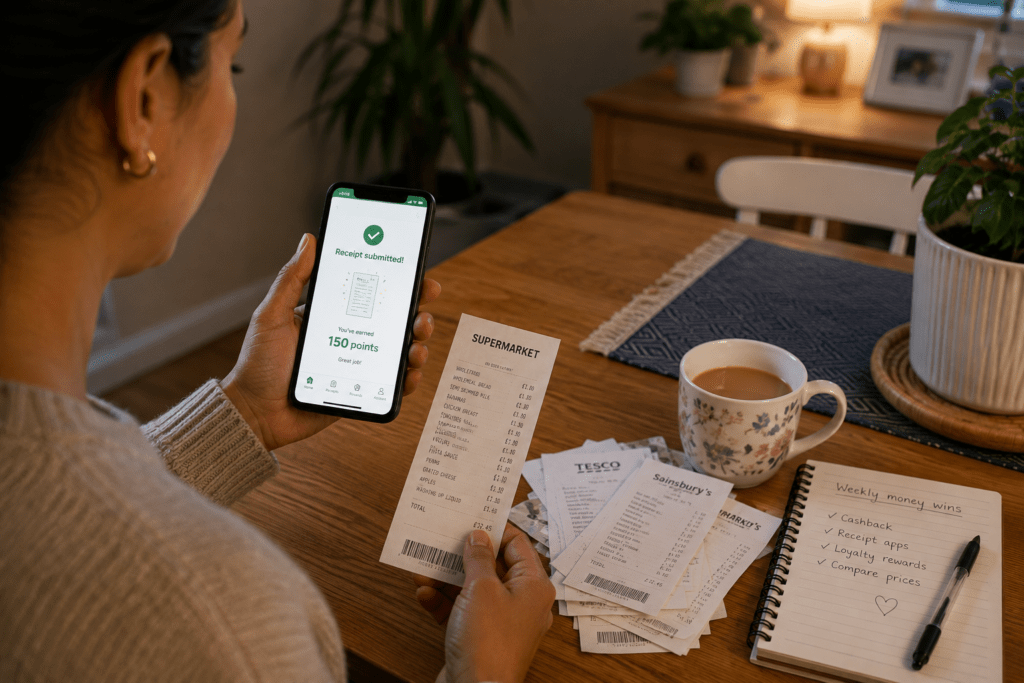
It’s easy to collect points across several apps and forget they’re sitting there.
Check your balances regularly and find out:
- When you can redeem
- What rewards are available
- Whether points or credits expire
- Whether there are monthly limits
- Whether the redemption options have changed
Also, don’t assume an app’s reward structure will stay the same forever. Companies can change their terms, qualifying receipts and redemption options.
That’s why I recommend checking the current rules inside the app before deciding how much effort to put into it.
Think About the Data You're Sharing
There is another side to receipt scanning that’s worth understanding.
These apps aren’t handing out rewards simply because they like photographs of receipts. Your shopping information has value for market research.
A receipt can reveal what you’ve bought, where you’ve shopped, how much you’ve spent and when you made the purchase.
That doesn’t automatically make receipt apps a bad deal. However, you should understand the exchange you’re making.
Read the privacy information before signing up and decide whether you’re comfortable sharing that information in return for the rewards offered.
How Much Can Receipt Scanning Apps Really Save You?
Receipt scanning isn’t going to slash your supermarket bill overnight.
Instead, think of it as one part of a bigger money-saving strategy.
A few pounds in receipt rewards, combined with supermarket loyalty discounts, cashback, coupons and smarter meal planning, can produce a much more meaningful saving.
Add rewards from several sources across the year and those small amounts begin to matter.
That’s the Miss Money Saver approach: don’t rely on one huge saving. Stack lots of sensible smaller ones.
Is Receipt Scanning Worth It?
For most people, I’d say yes, provided you keep it simple.
You’re unlikely to make a fortune. However, if scanning a receipt takes a minute and gives you rewards from something you’ve already bought, it’s an easy saving to add to your routine.
Start with one or two apps rather than downloading everything at once. See which ones work best with your normal shopping habits and how quickly you reach a useful reward.
Most importantly, don’t change your spending habits just to earn points.
Shop normally, keep the receipt, scan it and let your everyday spending work a little harder for you.

Receipt scanning apps are not going to transform your finances overnight, but they are an easy way to get a little more value from money you’re already spending.
The key is to make scanning part of your normal shopping routine. Keep your receipts, upload them before they expire and check your reward balances regularly.
More importantly, combine receipt rewards with the other saving methods you already use. Loyalty schemes, cashback offers and vouchers can all work alongside receipt scanning to help your food budget stretch further.
Even small rewards can add up over time. If you’ve already made the purchase, getting something back from your receipt is certainly better than throwing it away.
Have you tried any receipt scanning apps? Which ones have worked best for you? Let me know in the comments below.

Still have questions about receipt scanning apps? Here are the answers to some of the most common questions about using them to earn rewards from your everyday shopping.
What are receipt scanning apps?
Receipt scanning apps allow you to upload eligible shopping receipts in return for rewards. Depending on the app, you may receive points, vouchers, gift cards, cashback or other rewards.
Can I use receipt scanning apps for supermarket receipts?
Yes. Some receipt scanning apps accept supermarket receipts, although the exact retailers and types of receipts accepted depend on the individual app.
Can I scan the same receipt on more than one app?
Potentially, yes. If the terms of each app allow it, you may be able to submit the same receipt to more than one service. Always check the individual app rules.
How soon should I scan my receipt?
As soon as possible. Apps can have different submission deadlines, so scanning your receipt shortly after shopping reduces the risk of missing the qualifying period.
Do receipt scanning apps cost money to use?
Most receipt reward apps are free to download and use. However, always check the current terms before signing up.
Are receipt scanning apps worth using?
They can be if you use them consistently. Individual rewards may be small, but they can add up alongside supermarket loyalty rewards, cashback and other savings.
Do I need to change where I shop?
Usually not. The best approach is to choose receipt scanning apps that work with the shops and purchases you already make rather than changing your spending habits just to earn a reward.

Want to take your savings even further? These useful resources offer more practical ways to cut food costs, manage your spending and make your money work harder.
Budget Friendly Meal Solutions: Save Money on Your Food Bill: Practical ways to reduce your food spending and make your grocery budget stretch further.
Smart Ways to Stretch Your Food Budget with Easy Batch Cooking: Useful ideas for reducing food costs through planning, batch cooking and making better use of what you buy.
MoneyHelper: Free, impartial guidance on budgeting, managing household spending and making your money go further.
Citizens Advice: Independent information and practical guidance on household finances, budgeting and dealing with rising living costs.

Know someone who always throws their receipts straight in the bin?
Share this post with them and show them how those receipts could be earning rewards instead.
If you found this guide useful, share it with your friends and family too, and remember to include #missmoneysaver when you share.
This post contains affiliate links, which means I may receive a small fee if you sign up for some of the products or services recommended, at no extra cost to yourself.